Transcription and dictation
LiveTranscribe meetings, dictate anywhere and turn speech into finished work.
Live meeting transcription with an assistant that picks out decisions and actions, plus desktop dictation that writes in the style you choose.

01 / The problem
Speaking is fast, but a raw transcript is rarely what you need. You need the summary, the reply, the list of actions.
Live transcriptionMeeting assistantDesktop dictationWriting styles
Screens
Inside VerbScribe.
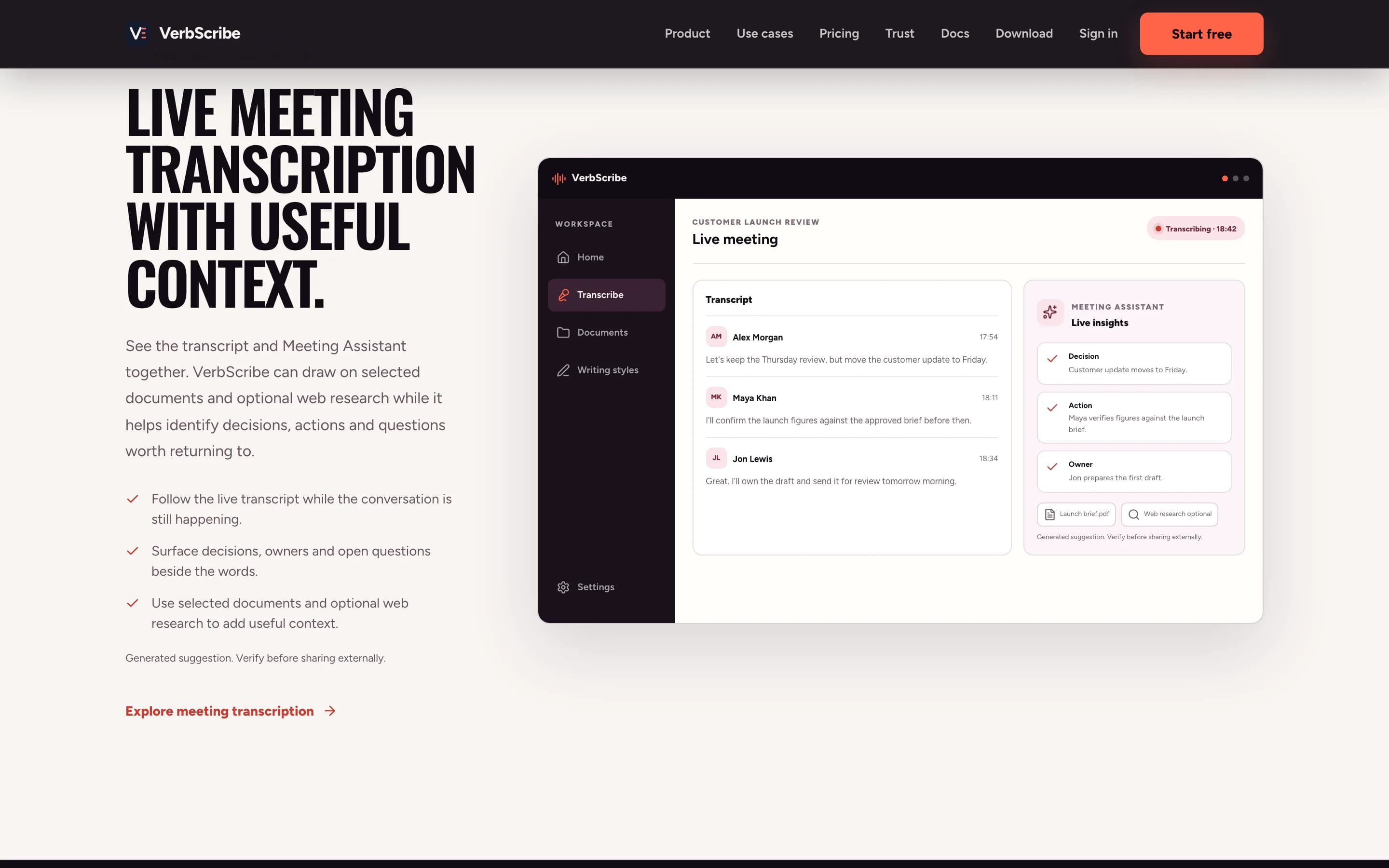
The meeting, as it happensA live transcript with an assistant that captures decisions, owners and open questions. 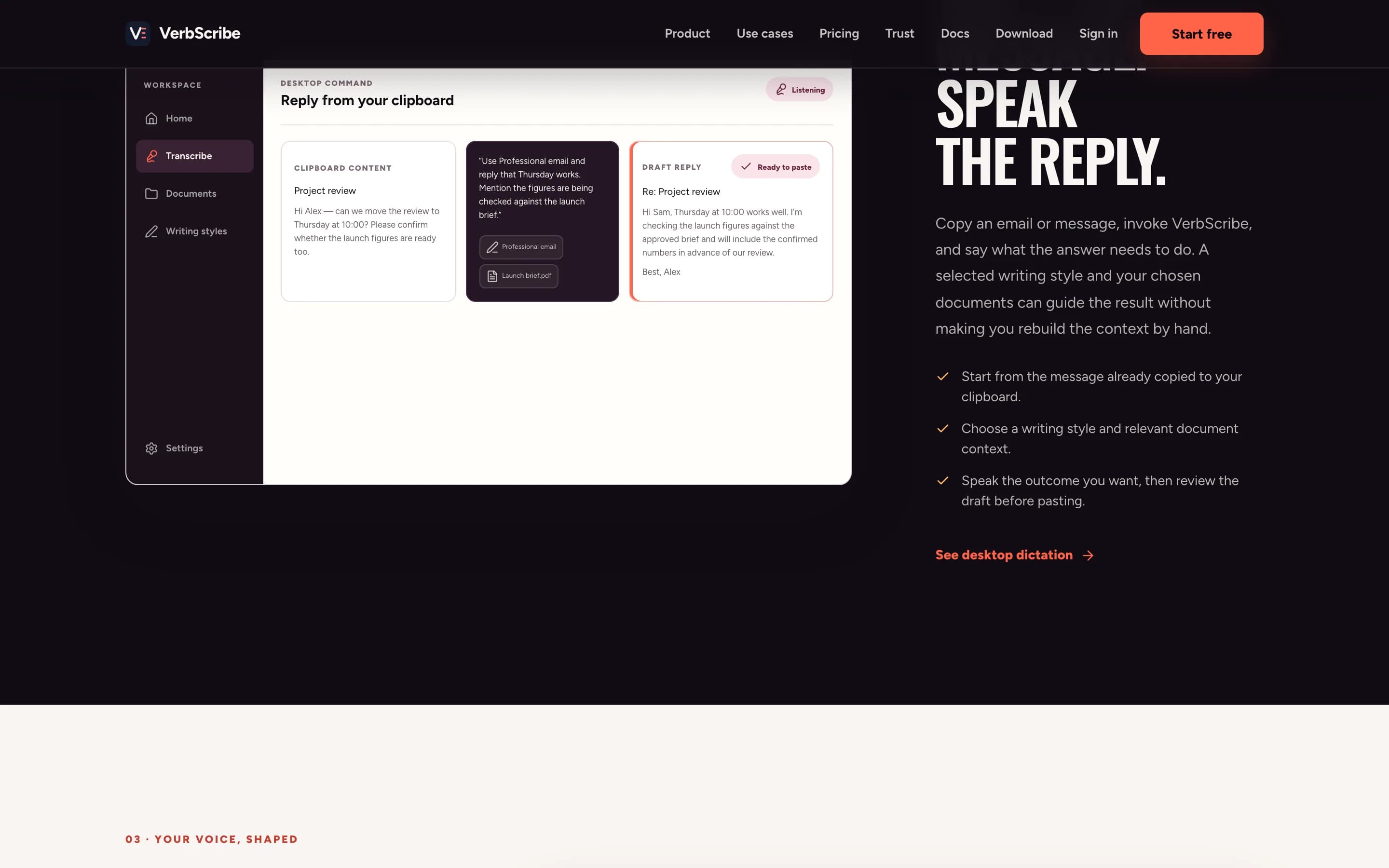
Speak the replyDictate into any desktop app. VerbScribe writes it up in the style you pick.
02 / How I approached it
The decisions that shaped it.
- 01
Treat speech as the start of the work: summaries, decisions and replies come from the same recording.
- 02
Keep capture, transcription and rewriting separate, so one failure never loses the recording.
- 03
Let people choose the transcription engine, or bring their own keys.
03 / What's inside
What had to work together.
- Live meeting transcription and Meeting Assistant
- System-wide desktop dictation
- Writing styles and rewriting
- Chat with documents and audio search
04 / Guardrails
Where the AI stops, and what happens when it is wrong.
- 01
You decide what is recorded and kept
- 02
Fallback when a transcription provider fails
- 03
A choice of engines, including your own keys
05 / Where it stands
What you can check today.
- Live at verbscribe.com
- Desktop app available to download
- Tuned through more than 3,000 real transcriptions
Status: Live. I do not claim users, customers or performance numbers unless they are written here.
Talk about a similar problem ↗